How to Track Podcast Downloads: The Complete Guide to Accurate Analytics
Your podcast host says you got 2,500 downloads last month. Podtrac shows 2,100. Apple Podcasts Connect displays something different entirely. Which number is right? And why can’t anyone seem to agree on how many people actually listened to your show?
According to Edison Research’s Infinite Dial 2024, 47% of Americans now listen to podcasts monthly, up 12% year over year. That’s roughly 135 million potential listeners. But as podcast audiences grow, so does the confusion around measuring them accurately.
Here’s the thing: most podcasters don’t actually understand what a “download” means, how different platforms count them, or why the numbers never quite match up. This guide will give you that clarity. You’ll learn exactly what counts as a download, how tracking actually works behind the scenes, and whether you need third-party tools on top of your host’s analytics.
Quick Takeaways:
- A download only counts when someone requests enough of your audio file to indicate intentional listening (not just a page load or bot crawl)
- IAB-certified analytics filter out bots, duplicates, and incomplete requests to give you accurate numbers
- Processing delays (24-48 hours) mean cleaner, more trustworthy data for sponsor conversations
- Host-based tracking is sufficient for most podcasters; third-party tools add value mainly for cross-platform attribution
- Your host’s numbers and Apple/Spotify numbers will differ because they measure different things
What Actually Counts as a Podcast Download?
Not every request to your audio file counts as a download. Understanding the distinction matters because inflated numbers hurt you when sponsors ask for verified metrics.
The IAB Definition
The IAB Tech Lab’s Podcast Measurement Guidelines (currently version 2.2, updated May 2024) define the industry standard for what counts as a legitimate download. According to these guidelines, a download is “a request to a podcast host server by a user agent for the purpose of playback or download.”
But the critical part is what gets filtered out.
The Filtering Process
IAB-compliant platforms must filter:
Bot traffic: Automated crawlers from search engines, aggregators, and other bots don’t represent real listeners. IAB maintains a list of known bot user agents that get excluded from counts.
Duplicate requests: If the same IP address and user agent request the same episode multiple times within a 24-hour window, only one download counts. This prevents someone refreshing their app from inflating your numbers.
Incomplete downloads: A request that retrieves only a tiny portion of your file (like metadata checks) doesn’t count. The listener needs to request enough of the file to indicate actual intent to listen.
Quick Takeaway: IAB certification isn’t just a badge. It’s the difference between numbers sponsors trust and numbers they discount by 15-20%.
Why This Matters for Monetization
When you approach sponsors or join an ad network, they’ll ask about your download numbers. If your analytics aren’t IAB-certified, experienced buyers know to apply a “reality discount” to whatever you report.
IAB’s compliance program exists specifically to give advertisers confidence that the numbers they’re buying against are accurate and comparable across different shows and platforms.
Download vs Listen vs Stream: What’s the Difference?
These terms get used interchangeably, but they measure different things. Understanding the distinction helps explain why your numbers vary between platforms.
Downloads
A download occurs when a podcast app or browser requests your audio file from the server. This happens whether someone:
- Subscribes and their app auto-downloads new episodes
- Manually downloads an episode for offline listening
- Hits play and the app buffers the file
The key point: downloads measure file requests, not actual listening behavior. Someone could download your episode and never press play.
Streams
Streaming happens when a listener plays your episode without downloading the full file first. The audio loads progressively as they listen. Spotify, for example, defaults to streaming rather than downloading.
From a measurement perspective, streams and downloads often get counted similarly (a request is a request), but some platforms track them separately.
Listens and Consumption
This is where it gets complicated. Apple Podcasts and Spotify track actual listening behavior within their apps. They know:
- Whether someone pressed play
- How long they listened
- Where they stopped
But this data only exists for listens within those specific apps. When someone downloads your episode to Overcast, Pocket Casts, or any third-party app, you lose visibility into consumption. You only know they downloaded it.
| Metric | What It Measures | Who Has This Data |
|---|---|---|
| Downloads | File requests from server | Your podcast host |
| Streams | Progressive playback requests | Your podcast host |
| Listens | Play button pressed | Apple, Spotify (their apps only) |
| Completion Rate | % of episode consumed | Apple, Spotify (their apps only) |
Why Platform Numbers Don’t Match
Your host counts all downloads across all platforms. Apple Podcasts Connect only shows activity within their app. Spotify for Podcasters only shows Spotify listeners.
If Apple says you got 500 listens and your host says 2,000 downloads, both could be accurate. Apple’s 500 represents people who listened in the Apple Podcasts app. Your host’s 2,000 includes everyone who downloaded, regardless of which app they used.
How Do Different Platforms Track Downloads?
The mechanics of tracking matter because they affect accuracy, speed, and what data you can access.
Server-Side Tracking (Host-Based)
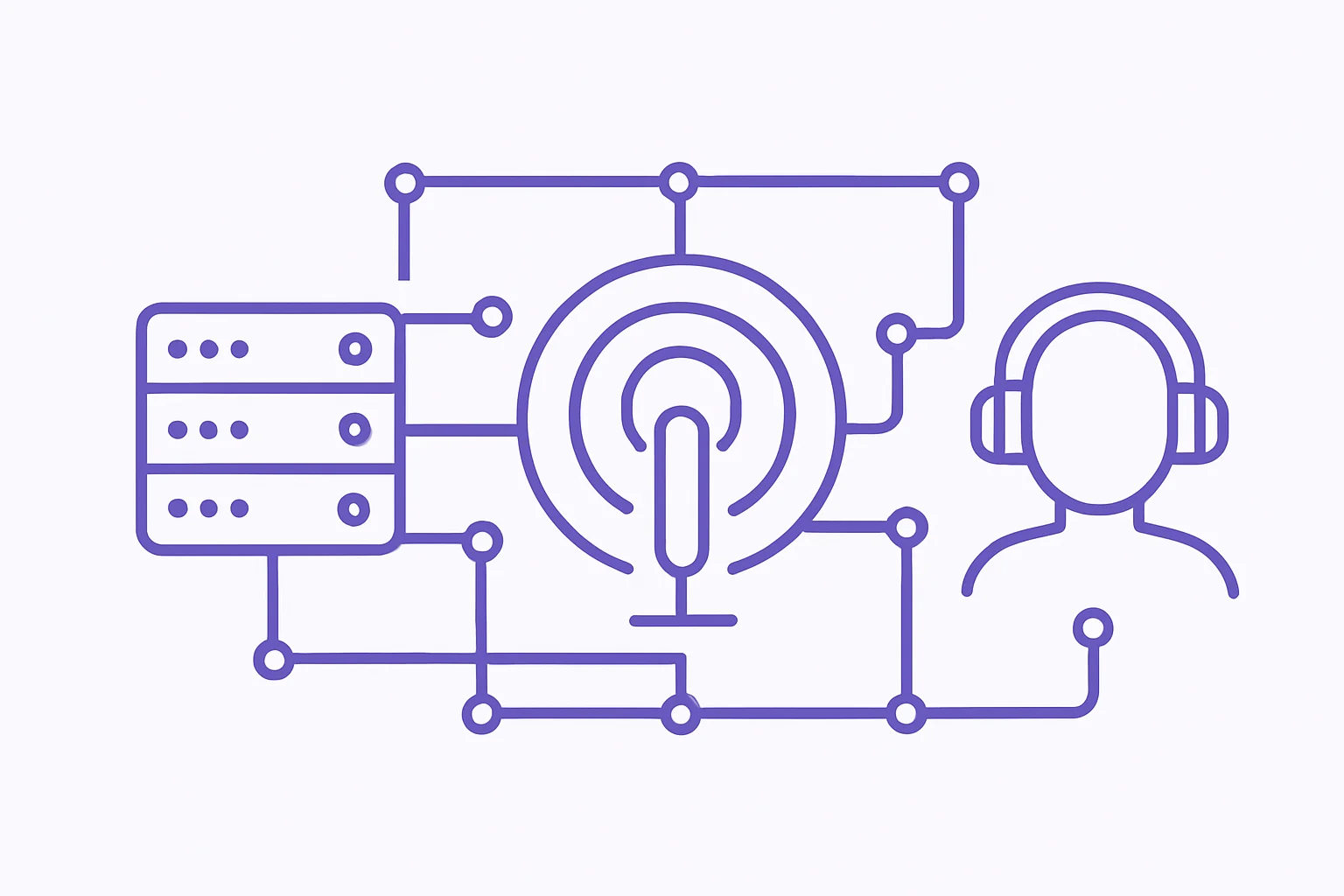
Your podcast host tracks downloads at the source. When someone’s app requests your episode file, that request hits your host’s servers (or CDN), and gets logged.
Advantages:
- Captures all downloads regardless of which app or platform
- Single source of truth for total audience
- Can apply IAB filtering at the source
- Geographic and device data from request headers
Limitations:
- Can’t see what happens after download (did they listen?)
- Subject to CDN caching variations
- Processing time needed for accurate filtering
This is the primary tracking method for most podcast analytics. When you log into your host’s dashboard, you’re seeing server-side data.
Prefix Tracking (Third-Party Tools)
Services like Podtrac, Chartable (now part of Spotify), and OP3 use prefix tracking. They insert a redirect URL before your actual audio file URL. When someone downloads your episode:
- Request goes to the tracking service first
- Tracking service logs the request
- Request redirects to your actual audio file
Advantages:
- Works with any podcast host
- Enables cross-show attribution
- Some services offer additional features (smart links, attribution)
Limitations:
- Adds a redirect (minimal latency, but exists)
- Another layer of potential discrepancy
- Requires trusting a third party with your data
According to Podtrac’s measurement methodology, their system processes over 400 million requests monthly and has been IAB-certified since version 2.0.
Client-Side Tracking (App-Level)
Apple Podcasts and Spotify track listening behavior within their apps. This is fundamentally different from download tracking because they see actual consumption, not just file requests.
What Apple and Spotify can see:
- Play/pause events
- Listening duration
- Skip behavior
- Completion rates
What they can’t see:
- Downloads to other apps
- Offline listening behavior (until sync)
- Anything outside their ecosystem
Host-Based Analytics vs Third-Party Tools
Should you use Chartable or Podtrac in addition to your host’s analytics? The answer depends on what you’re trying to accomplish.
When Host-Based Tracking Is Sufficient
For most podcasters, your host’s built-in analytics provide everything you need:
- Total download counts: Accurate, IAB-certified numbers (if your host is certified)
- Episode performance: Which episodes resonate with your audience
- Geographic data: Where your listeners are located
- Device and app breakdown: How people consume your show
- Trend analysis: Growth patterns over time
If you’re focused on understanding your audience and improving your content, host analytics cover it. You don’t need additional tracking services complicating your data.
When Third-Party Tracking Adds Value
Third-party tools make sense in specific situations:
Cross-platform attribution: If you’re running paid promotion campaigns and need to track which ads drive downloads across multiple shows or networks, attribution pixels from Chartable or Spotify Ad Analytics can help.
Network reporting: If you’re part of a podcast network that uses Podtrac for standardized measurement across all shows, you’ll need to participate for accurate network-level reporting.
Agency requirements: Some advertising agencies require third-party verification of download numbers. If you’re working with major brand sponsors, they might mandate specific tracking.
Multi-host comparison: If you’re evaluating different podcast hosts, using the same third-party tracker on both gives you apples-to-apples comparison.
| Scenario | Host Analytics | Third-Party Tools |
|---|---|---|
| Understanding your audience | Sufficient | Optional |
| Episode performance | Sufficient | Optional |
| Sponsor reporting (small/medium) | Sufficient | Optional |
| Major brand campaigns | Recommended | Often Required |
| Network participation | Baseline | Usually Required |
| Attribution tracking | Limited | Primary Use Case |
Quick Takeaway: Don’t add third-party tracking just because it exists. Add it when you have a specific use case that your host’s analytics can’t address.
What Affects Download Tracking Accuracy?
Even with IAB-compliant tracking, several factors affect accuracy. Understanding them helps you interpret your data correctly.
Bot Traffic and Filtering
Bots account for a meaningful percentage of raw download requests. Search engine crawlers, feed validators, and podcast directories all generate automated traffic. Without filtering, your numbers would be significantly inflated.
IAB-certified platforms maintain updated bot lists and use pattern detection to identify automated traffic. But this filtering isn’t instantaneous.
CDN Caching
Content Delivery Networks (CDNs) cache your audio files at edge locations worldwide to speed up downloads. When a listener in Sydney downloads your episode, they might get it from an Australian server rather than your host’s origin server.
Most CDN configurations pass through analytics data correctly, but edge cases exist. Some older CDN setups or misconfigured caching rules can cause undercounting.
Processing Delays
Here’s something many podcasters don’t realize: accurate download counts require processing time.
Raw download logs contain noise. Bots, duplicates, partial requests, and edge cases all need filtering. This processing takes time, typically 24-48 hours for complete accuracy.
Some platforms show “real-time” numbers, but those raw counts haven’t been cleaned yet. They’ll include bots, duplicates, and incomplete downloads that will eventually get filtered out. The number you see on day one will often be higher than the final number after processing.
This is why VNYL uses 24-hour processing. We’d rather give you accurate numbers you can trust for sponsor conversations than inflated real-time counts that need mental discounting.
Partial Downloads
When someone starts downloading your episode but cancels partway through, does that count? Different platforms handle this differently.
IAB guidelines require that a “significant portion” of the file be requested, but the exact threshold varies. Some platforms use byte-range thresholds; others use percentage-based rules.
This is another reason numbers vary between platforms: they might define “meaningful download” slightly differently.
Using Download Data for Growth Decisions
Numbers are only useful if they inform decisions. Here’s how to actually use your download data.
Episode Performance Comparison
Compare downloads across episodes to identify patterns:
- Which topics drive more downloads?
- Do guest episodes outperform solo episodes?
- Does episode length correlate with downloads?
- Do certain titles or descriptions perform better?
Look for patterns over at least 10-15 episodes before drawing conclusions. Single-episode spikes might be algorithmic luck rather than replicable success.
Publishing Time Optimization
Your analytics show when downloads happen relative to publish time. If most downloads occur within 24 hours, your audience is actively anticipating new episodes. If downloads spread over weeks, your content might be more evergreen.
Use this data to optimize:
- Fast consumption: Promote heavily at launch, time releases for audience availability
- Slow burn: Invest in SEO and discoverability, back catalog matters more
Sponsor Reporting Requirements
When sponsors ask for download numbers, they want:
- Total downloads per episode (30-day or 60-day window)
- IAB-certified source (not raw logs)
- Geographic breakdown (especially if targeting specific regions)
- Demographic data (if available from surveys)
Give them numbers from your host’s IAB-certified dashboard, not estimates or projections. If they require third-party verification, discuss which service they prefer before the campaign starts.
When to Ignore the Numbers
Sometimes the data lies, or at least misleads:
- Launch week anomalies: New shows often get artificial boosts from platform algorithms
- Viral spikes: One viral episode doesn’t mean sustainable audience growth
- Seasonal dips: Holiday weeks almost always underperform; don’t panic
- Platform changes: When Apple or Spotify changes their app behavior, download patterns shift industry-wide
Focus on 30-day and 90-day trends rather than daily fluctuations.
VNYL’s Download Tracking Approach
We built VNYL’s analytics with a specific philosophy: accuracy over speed, clarity over complexity.
IAB-Compliant Analytics on All Plans
Every VNYL plan includes IAB-certified analytics. You don’t need to upgrade to a premium tier to get numbers sponsors trust. This matters because monetization shouldn’t require paying more for basic measurement accuracy.
24-Hour Processing for Accuracy
We process download data over a 24-hour window before displaying final numbers. This gives time for:
- Bot filtering using updated detection lists
- Duplicate removal across the full 24-hour window
- Edge case handling and CDN log reconciliation
The number you see in your dashboard is the number you can confidently share with sponsors. No mental discounting required.
Geographic and Device Breakdowns
Understanding where your listeners are and how they consume your show helps with:
- Content timing (when to release for your primary timezone)
- Tour planning (where your audience clusters)
- Technical optimization (which apps to prioritize)
- Sponsor targeting (regional advertising opportunities)
If you’re comparing podcast analytics across different hosts, look for these breakdowns. Raw download counts without context tell an incomplete story.
The Bottom Line on Download Tracking
Podcast download tracking isn’t as complicated as the industry makes it seem. Here’s what actually matters:
Use your host’s IAB-certified analytics as your primary source. These numbers are accurate, comprehensive, and sufficient for most podcasters. Don’t add complexity without a clear reason.
Understand what downloads measure (and don’t measure). Downloads count file requests, not actual listening. Apple and Spotify can show consumption data for their apps only.
Accept that platform numbers will differ. Your host sees all downloads. Apple sees Apple. Spotify sees Spotify. They’re measuring different things, not contradicting each other.
Give analytics time to process. Numbers 48 hours after publish are more accurate than numbers 2 hours after publish. Real-time dashboards show raw data, not filtered data.
Focus on trends, not daily fluctuations. Week-over-week and month-over-month growth matters more than yesterday’s download count.
The goal isn’t to have impressive analytics. It’s to understand your analytics well enough to make better content, serve your audience more effectively, and build a sustainable podcast.
Want more podcasting tips like these? Join our newsletter at vnyl.fm for weekly insights.